The 5 AI Tools I Actually Use as a Mom (and which one you should start with)

When I first heard about AI, I did what every curious mom with ten spare minutes and a lukewarm latte does: I downloaded every app, signed up for every free trial and tried to use them all at once.
Two days later, I was overwhelmed, confused and ready to give up.
Here’s what I wish someone had told me from the start: you don’t need five AI tools. You need one that actually fits your real life.
After months of testing, I’ve landed on AI tools I actually use as a mom. Not because they’re trendy, but because they make my life easier without adding to the chaos.
✨ Let’s dive in.
The Truth About AI Tools (Before We Start)
You don’t need them all. Seriously.
If AI tools were toys, ChatGPT is the one your kid actually plays with while the others gather dust in the corner.
Most moms can do 90% of what they need with just ChatGPT or Claude. The rest are “nice-to-haves” for specific moments.
And please, don’t feel like you have to pay for everything. The free versions are surprisingly generous, like the Costco sample lady of tech.
1. ChatGPT: The All-Rounder
What it is: The most well-known AI assistant, made by OpenAI, that’s versatile and user-friendly. Think of it as your endlessly patient digital sidekick that never judges your spelling or your third cup of coffee.
Best for: Writing and editing (emails, captions, thank-you notes), meal planning and recipe ideas, breaking down complex topics into kid-friendly explanations, brainstorming (party themes, activities, project ideas), creating lists and schedules
Why moms love it:
It feels like having a conversation. You can ask it a question, it responds, and you can keep going back and forth to refine what you need.
Real example from my life:
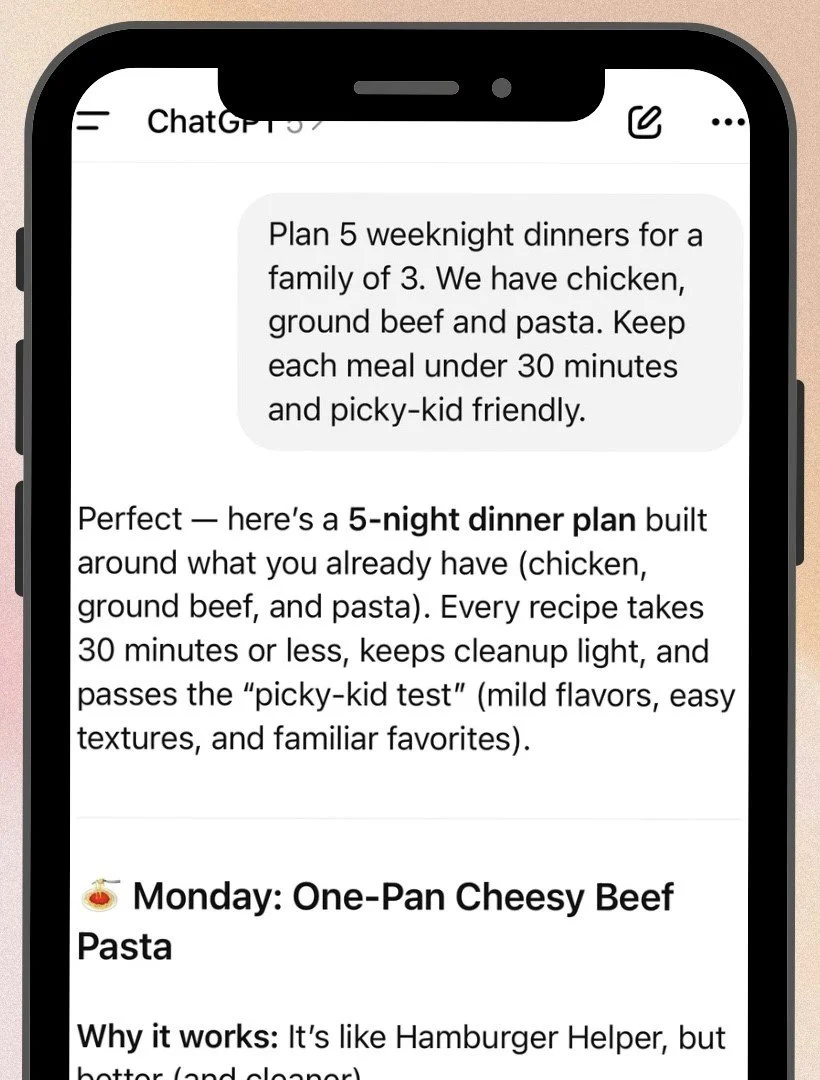
I asked: “Plan 5 weeknight dinners for a family of 3. We have chicken, ground beef and pasta. Keep each meal under 30 minutes and picky-kid friendly.”
Boom. Dinner plan done.
Free vs. Paid:
Free: Perfect for most mom tasks.
Paid (ChatGPT Plus, $20/month): Faster, smarter, includes image generation. Worth it if you use it daily.
My take: If you’re only going to try one AI tool, make it this one. It’s your Swiss-army knife with better spelling.
“Help me write a warm, brief email to my child’s teacher explaining an absence on [date] for [reason]. Keep it under 75 words.”
2. Claude: The Thoughtful One
What it is: An AI by Anthropic. It’s known for longer, more nuanced conversations and thoughtful responses, like the reflective, slower-paced friend who remembers details and asks how you’re really doing.
Best for: Longer writing (letters, journaling, detailed planning), complex problem-solving that needs context, editing and refining something you’ve already written, advice on tricky parenting or work moments
Why moms love it:
Claude is especially good at understanding context and giving thoughtful, detailed responses. If you’re working on something that needs depth like planning a big family event, writing something important or thinking through a complicated situation, Claude shines.
Real example from my life:
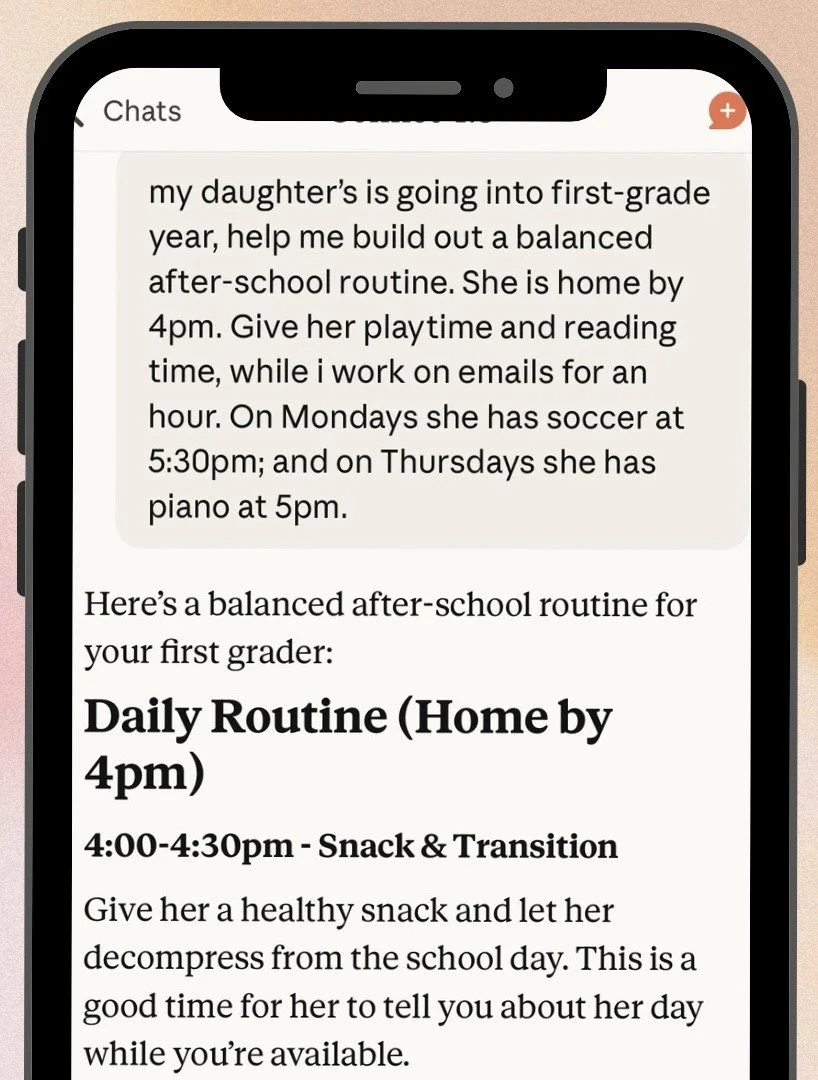
When I was planning my daughter’s first-grade year, I asked Claude to help me build a balanced after-school routine, something that gave her playtime and reading time and gave me time to finish work emails. It helped me see where I could simplify without the guilt.
Free vs. Paid:
Free: Generous message limits, very capable for most tasks.
Paid (Claude Pro, $20/month): Higher usage limits, early access.
My take: If ChatGPT is the friend who texts you back instantly, Claude is the one who sends a beautifully thoughtful voice note later that night.
“Help me think through how to talk to my 8-year-old about [difficult topic]. I want to be age-appropriate, honest and reassuring. Give me a framework for the conversation.”
3. Gemini: The Google-Integrated One
What it is: Google’s AI. If your life runs on Gmail, Docs and Google Calendar, Gemini is like a helpful neighbor who already has a spare key.
Best for: Quick research or fact-checking, getting current, real-time info (it can search the web in real-time), summarizing long articles or docs, seamless use with Google tools

Why moms love it:
It feels familiar. It can pull from current search results, so it’s good for questions like “What are the top-rated family movies out right now?” or “What’s the weather this weekend?”
Real example from my life:
When I needed to find something fun but low-effort for a rainy Saturday, I asked Gemini:
“Family activities in Boise this weekend under $20.”
Instant list. No scrolling, no decision fatigue.
Free vs. Paid:
Free: Great starting point and very capable.
Paid (Google One AI Pro, $19.99/month): More access to new and powerful features + 2TB cloud storage.
My take: Handy if you’re deep in Google world. Otherwise, skip it for now.
“What are the best indoor family activities in [your city] for a rainy day with a fourth grader and junior in high school?”
4. Perplexity: The Research One
What it is: A search engine that acts like ChatGPT with footnotes. It gives you answers and tells you where it found them.
Best for: Quick, trustworthy research, comparing products, learning something newealth info (though always verify with a doctor)

Why moms love it:
It shows where it got its information, which is huge when you’re researching anything health-related, product-related or just want to make sure the answer is legit.
Real example from my life:
When my daughter had a mystery rash, I asked:
“Small red bumps on first grader’s arms and legs, no fever.”
Perplexity gave me possible causes with medical sources. It didn’t replace the pediatrician, but it definitely replaced my panic.
Free vs. Paid:
Free: Simple searches for casual users.
Paid (Pro, $20/month): Unlimited deep searches.
My take: It’s not for everyday stuff, but when you need reliable info, it’s gold.
“What are scientifically backed home remedies for kids’ seasonal allergies?”
5. Canva AI: The Visual One
What it is: Canva is the design tool many moms use for birthday invitations, school projects and social media posts. Its built-in Magic features use AI to help with design ideas and wording, but honestly? The templates are so good that most of us (including me) just pick one, customize it and call it a day.
Best for: Birthday invitations, school project posters, family photo cards, social media graphics

Why moms love it:
You can create something that looks professional in five minutes, right from your phone. No design degree, no complicated tools. Just pick a template, change the words, maybe adjust the colors, and you’re done.
Real example from my life:
I needed a cowgirl birthday invitation. I opened the Canva app, searched “birthday invitation cute western them,” scrolled until I found one I liked. Tapped it, changed the text and party details and hit download.
Free vs. Paid:
Free: Tons of templates + generous AI tools.
Paid (Canva Pro, $12.99/month): Unlocks premium templates, background remover, and a brand kit (helpful if you’re using it for business).
My take: It’s so useful for moms who need to create visual stuff quickly. The AI-powered Magic tools are fun to play with if you ever want to get creative, but the ready-made templates alone are worth knowing about.
So… Which One Should YOU Start With?
If AI feels intimidating, start small.
Think of ChatGPT as the Instant Pot of AI, it looks fancy, does everything and once you figure it out, you wonder how you lived without it.
Start with ChatGPT if you want one reliable, friendly tool that covers almost everything.
Move to Claude when you’re ready for deeper projects.
Use Gemini for real-time info.
Try Perplexity for trustworthy research.
Reach for Canva AI when it’s time to make something pretty.
One tool used well beats five that make you want to hide your laptop under a pile of laundry.
My Real-Life “AI Stack”
Daily:
ChatGPT: emails, meal planning, scheduling, random mom ideas
Claude: journaling, planning and reflective thinking
Weekly:
Perplexity: research
Gemini: quick, current info
Occasionally:
Canva AI: graphics, social media and invites
Free vs. Paid: The Honest Truth
You don’t need to pay right away.
I stayed on the free versions for months, and they’re fantastic.
Upgrade only when:
You’re using it daily for work or content
You need faster speed or special features
You’re hitting limits and find yourself saying, “ugh, again?”
Stay free when:
You’re just experimenting
You use it a few times a week
You’d rather save that $20 for coffee and goldfish crackers
A Few More Things to Know
Can you use multiple tools for the same task?
Yep! Sometimes I’ll ask ChatGPT and Claude the same question to see which response I like better. They each have slightly different “personalities.”
Which one is most accurate?
They all make mistakes sometimes. Never use AI for medical advice, legal advice or financial decisions without verifying with a professional. For everyday mom stuff? They’re all pretty reliable.
Do these tools “learn” from what I tell them?
Your individual conversations aren’t used to train the AI unless you explicitly opt in. But they do use the context within a single chat to understand what you’re asking for.
What about privacy?
Don’t put sensitive personal information (social security numbers, passwords, private medical details) into any AI tool. For general use like writing emails or planning meals, you’re fine.
✨byte size takeaway✨
You don’t need to master every AI tool out there.
You just need one that lightens your mental load and fits your real life.
For most moms, that’s ChatGPT. It’s free, it’s versatile, and it’s beginner-friendly.
AI is supposed to make your life easier. So start small, start simple and build from there.